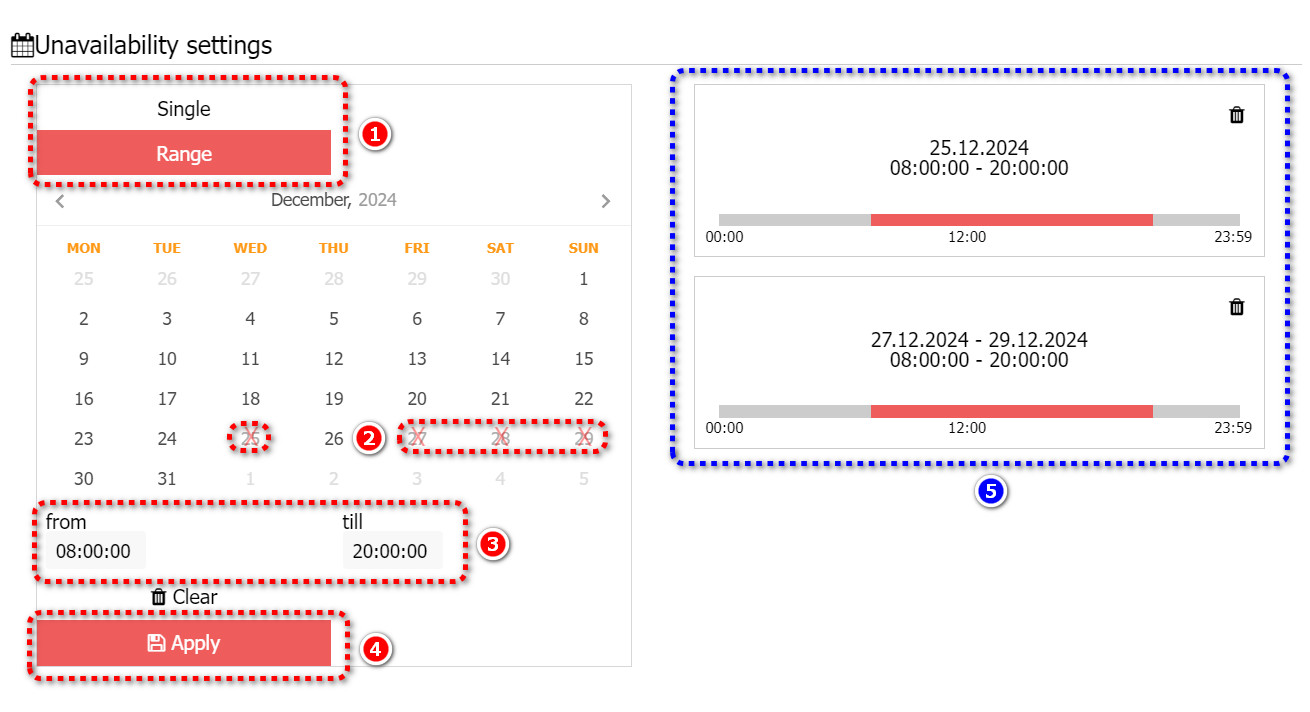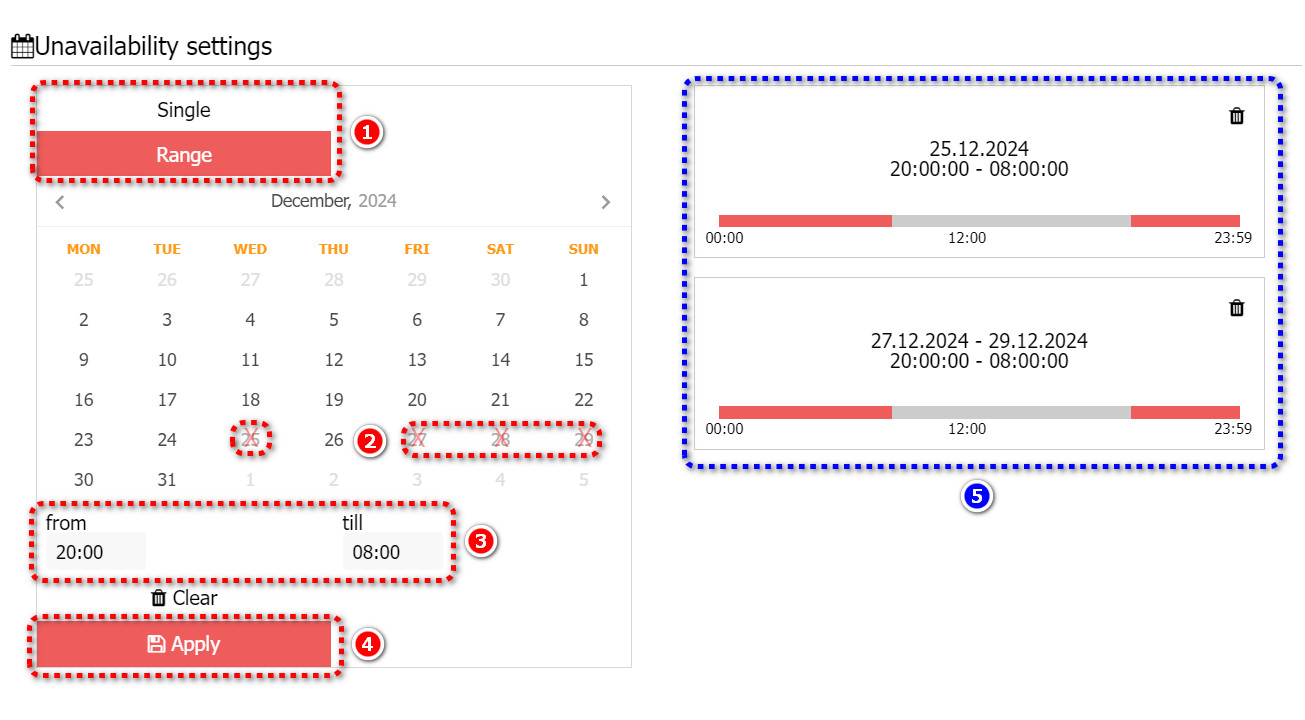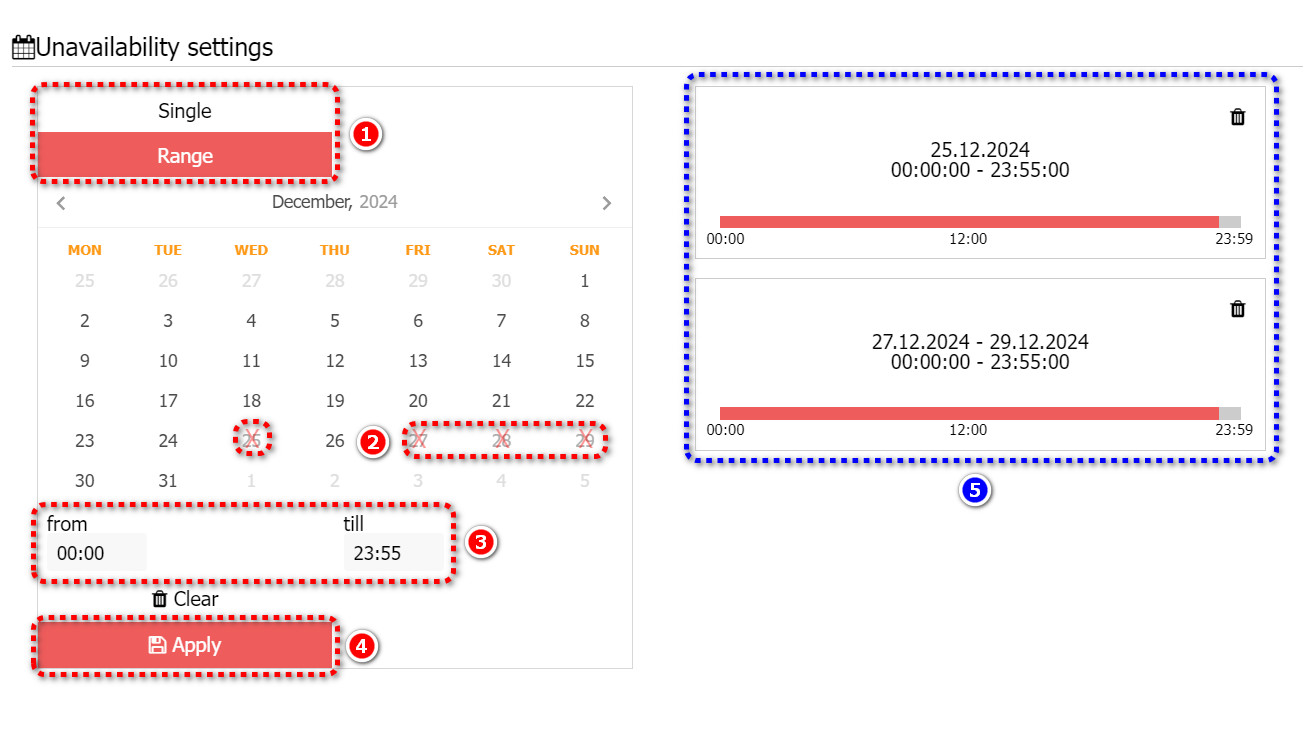
There are 3 typical situations of setting your vehicle unavailable in the unavailability calendar:
1 - for a single date or range of dates and a daytime period
2 - for a single date or range of dates and a nighttime period
3 - for a single date or range of dates and a full day period
You can find the unavailability calendar of your vehicle in each vehicle menu or in each vehicle edit page. Go to your Vehicles and Routes page https://fleet.intui.travel/en/cars/, choose a vehicle to edit and click on the calendar icon or click on the vehicle ID to open a vehicle edit page:
1 - to set up your vehicle unavailability for a single date or range of dates when your vehicle is not available during daytime - choose Single date or Range of dates (1), choose dates (2) and choose period of unavailability during daytime (3) for example from 08:00 till 20:00, click on Apply button (4). You will see on the right side (5) date or range of dates and time when your vehicle is set unavailable - from 08:00 till 20:00.
2 - to set up your vehicle unavailability for a single date or range of dates when your vehicle is not available during nighttime - choose Single date or Range of dates (1), choose dates (2) and choose period of unavailability during nighttime (3) for example from 20:00 till 08:00, click on Apply button (4). You will see on the right side (5) date or range of dates and time when your vehicle is set unavailable - from 00:00 till 08:00 and from 20:00 till 23:59.
3 - to set up your vehicle unavailability for a single date or range of dates when your vehicle is not available full day - choose Single date or Range of dates (1), choose dates (2) and choose period of unavailability for full day (3) from 00:00 till 23:55, click on Apply button (4). You will see on the right side (5) date or range of dates and time when your vehicle is set unavailable - from 00:00 till 23:55 - which means full day.
If you want to delete your date or range of dates which you set in the calendar but not clicked on Apply button, click on the Clear button:
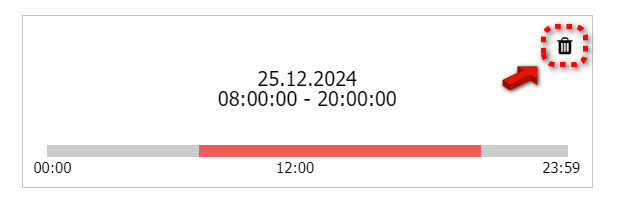
When you already set date or range of dates when your vehicle is unavailable but you want to delete it, click on the basket icon next to the date or range of dates and period: